Look, if you're still doing things manually that a computer could handle in seconds, you're leaving money on the table. I'm not being dramatic here—the numbers back this up. Companies that embrace workflow automation services are seeing 25-30% productivity boosts, slashing errors by up to 75%, and most of them hit positive ROI within their …


Look, if you’re still doing things manually that a computer could handle in seconds, you’re leaving money on the table. I’m not being dramatic here—the numbers back this up. Companies that embrace workflow automation services are seeing 25-30% productivity boosts, slashing errors by up to 75%, and most of them hit positive ROI within their first year.
But here’s the thing: knowing you should automate is different from knowing what to automate. That’s exactly why I put together this guide. We’re going to walk through over 50 real-world automation use cases, organized by department, so you can find the ones that make sense for your business and get started today.
Whether you’re running a small team or managing enterprise operations, you’ll find workflow automation use cases that fit your situation.
Why Workflow Automation Matters Right Now
Before we get into the specific use cases, let’s talk about why this matters more than ever.
The workflow automation market has exploded to nearly $24 billion in 2025, and it’s growing fast. About 85% of businesses are expected to adopt AI-driven automation this year. That’s not a trend—that’s a tidal wave. If you’re not on board, you’re getting left behind.
Here’s what the research tells us about companies that have already made the leap:
Most organizations—around 60%—see their return on investment within the first 12 months. That’s not a multi-year payback period; we’re talking about real savings showing up in your financials before your next annual review.
Productivity jumps by 25-30% on average across automated processes. Think about what you could do with that extra capacity—take on more clients, launch new products, or just stop burning out your team on repetitive busywork.
Error rates drop dramatically, anywhere from 40% to 75% depending on the process. Humans make mistakes when they’re tired, distracted, or just plain bored with doing the same task for the hundredth time. Automation doesn’t have bad days.
The average company saves around $46,000 per year just from reduced errors and eliminated manual work. For larger organizations, those numbers climb into the millions.
And here’s something that might surprise you: 89% of employees report greater job satisfaction after automation takes over their repetitive tasks. Turns out people actually want to do meaningful work, not copy-paste data between spreadsheets all day.
Now let’s look at the specific workflow automation use cases where you can put automation to work.
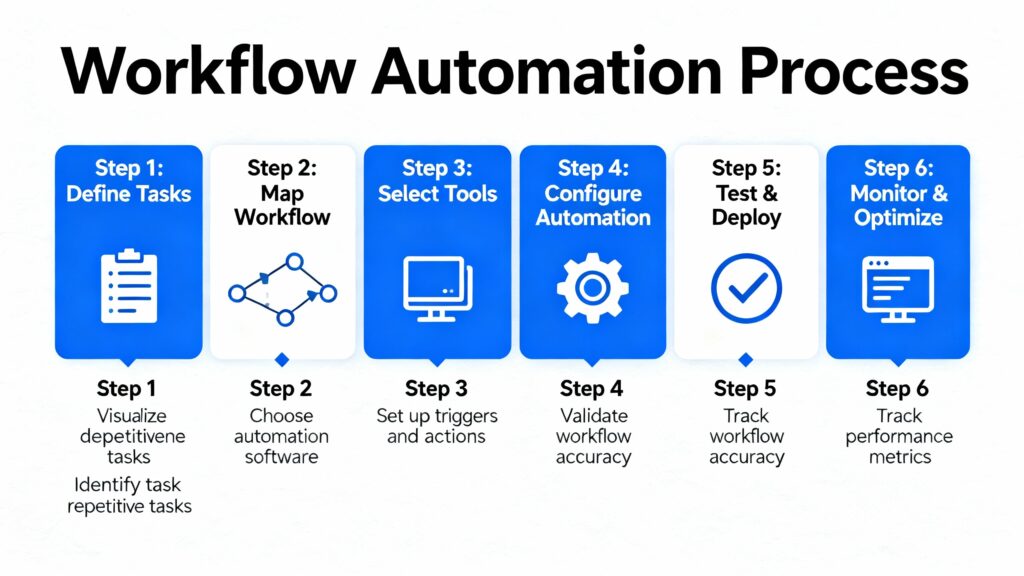
Workflow Automation Use Cases – A Comprehensive List by Industries
Human Resources Automation
HR workflow automation use cases have seen some of the most dramatic transformations of any department. We’re talking about a 599% increase in HR automation adoption over recent years. AI-powered HR bots now handle nearly 40% of employee service interactions. And honestly? It makes sense. HR processes are often predictable, document-heavy, and involve multiple handoffs—exactly the kind of work that benefits most from automation.
1. Employee Onboarding
Think about everything that happens when someone new joins your company. There’s the offer letter, background checks, I-9 forms, equipment requests, system access provisioning, training schedules, introductions to team members, benefits enrollment… the list goes on.
When this is all manual, something always falls through the cracks. The new hire shows up on day one and their laptop isn’t ready. Or they’re sitting around for three days waiting for system access. Or nobody told them where to park. It’s embarrassing, and it makes your company look disorganized.
Automated onboarding changes everything. The moment a candidate accepts an offer, the workflow kicks off. The system generates personalized offer documents, triggers a background check request, notifies IT to provision equipment and accounts, schedules their first-week meetings, sends welcome materials, and creates tasks for their manager to complete.
Companies using automated onboarding report up to 80% reduction in the time it takes to get a new employee fully productive. That’s not just about efficiency—it’s about making a great first impression and setting people up for success.
The best part? This works the same way every single time. No more wondering if someone remembered to order the laptop or set up the email account.
2. Leave Request Management
Here’s a workflow that seems simple but eats up way more time than it should. An employee wants to take vacation. In a manual system, they email their manager, who checks their calendar, then forwards it to HR, who checks the leave balance, then sends back an approval, which the manager forwards to the employee, who then updates their calendar…
It’s ridiculous. And when managers are busy (which is always), those requests sit in inboxes for days while employees wait anxiously to find out if they can book those plane tickets.
Automated leave management handles all of this instantly. The employee submits a request through a portal or even a Slack command. The system checks their balance, looks at their team’s schedule for conflicts, routes to the right approver based on your org chart, sends notifications, updates calendars automatically, and adjusts project timelines if needed.
Managers can approve from their phone with one tap. HR never has to touch routine requests. And employees get answers in minutes instead of days.
3. Performance Review Automation
Performance reviews are one of those things everyone knows is important but nobody actually enjoys doing. Part of the problem is all the coordination involved. You need to schedule meetings, distribute forms, collect self-assessments, gather peer feedback, remind managers to actually complete their evaluations, compile everything into a coherent document, and somehow make sure it all happens before the deadline.
Without automation, this process drags on for months. Managers procrastinate. Forms get lost. Some reviews happen six weeks after others. The whole thing becomes a chaotic mess that people dread.
With automation, you set the timeline once and the system handles the rest. It sends out notifications, tracks completion status, escalates when people fall behind, and compiles all the feedback into organized review documents. Managers get reminders with decreasing politeness as deadlines approach. HR gets dashboards showing who’s done and who’s not.
The result is reviews that actually happen on time, with complete information, and without HR spending weeks playing project manager.
4. Resume Screening and Candidate Management
Recruiters spend an absurd amount of time on tasks that don’t involve actually talking to candidates. Reading through hundreds of resumes, copying information into tracking systems, scheduling interviews, sending rejection emails—it adds up fast.
AI-powered screening changes the game. When resumes come in, the system extracts relevant information—skills, experience, education, certifications—and automatically populates your applicant tracking system. It scores candidates against job requirements and surfaces the best matches for human review.
This isn’t about replacing recruiter judgment; it’s about making sure good candidates don’t get buried in a pile of 500 applications. The automation handles the filtering and data entry so recruiters can focus on the high-value work: building relationships with candidates and making great hires.
Organizations using automated screening report 30% reductions in cost-per-hire and significantly faster time-to-fill metrics.
5. Employee Offboarding
When someone leaves, there’s a lot to coordinate. IT needs to revoke access, recover equipment, and disable accounts. HR needs to process final paperwork, schedule exit interviews, and handle benefits transitions. Finance needs to process final pay and handle any outstanding expenses.
When this is manual, things get missed. Former employees retain system access for weeks. Equipment disappears. Knowledge walks out the door without being documented.
Automated offboarding creates a consistent process that triggers the moment someone’s departure is entered into the system. Access revocation happens immediately. Equipment return is tracked. Exit interview scheduling happens automatically. Final pay calculations are generated. Knowledge transfer tasks are assigned.
It’s not just about efficiency—it’s about security and compliance. You really don’t want to explain to auditors why a former employee still accesses to customer had data three months after they left.
These HR workflow automation use cases represent just the starting point—most organizations find dozens of additional processes to streamline once they see initial results.
Finance and Accounting Automation
Finance workflow automation use cases might offer the most automation potential of any department. Research suggests up to 80% of transactional finance work could be automated with current technology. Payment automation alone frees up more than 500 hours annually in mid-sized finance teams. The work finance does is often rule-based, high-volume, and requires accuracy—exactly where automation shines.
6. Invoice Processing
Processing invoices manually is painful. Someone has to open the email or envelope, extract the relevant data, enter it into the system, match it against purchase orders, route it for approval, and then finally process payment. Multiply that by hundreds or thousands of invoices per month, and you’ve got a full-time job that’s mostly data entry.
Automated invoice processing uses OCR and AI to extract data from invoices regardless of format. The system automatically matches invoices to POs, flags discrepancies, routes for approval based on amount and category, and schedules payment according to your terms.
The cost savings are substantial—typically 10-15% reduction in processing costs. But the bigger win is speed and accuracy. Invoices don’t sit in someone’s inbox for weeks. Early payment discounts get captured. Vendor relationships improve because they get paid on time.
7. Expense Report Management
Expense reports are universally hated. Employees hate filling them out. Managers hate reviewing them. Finance hates processing them. It’s one of those things where everyone loses.
The manual process involves paper receipts (which get lost), spreadsheets (which have errors), multiple approval layers (which cause delays), and manual reimbursement processing (which is slow).
Automated expense management lets employees snap photos of receipts on their phone. OCR extracts the data. The system checks against policy automatically—flagging things like excessive meal costs or missing client names on entertainment expenses. Compliant expenses route for one-click approval. Non-compliant ones get kicked back with explanations.
Reimbursements process automatically once approved. Employees get paid faster. Finance spends less time chasing down documentation. Managers can approve from anywhere.
8. Purchase Order Approvals
Purchase requisitions often involve multiple approvers depending on amount, category, and budget. A $500 office supply order might need one approval. A $50,000 software contract might need three.
Manual approval routing means someone has to figure out who needs to sign off, send emails, follow up when people don’t respond, track status, and eventually escalate when things stall.
Automated PO workflows route requests based on your approval matrix automatically. The system checks budget availability, sends notifications to the right approvers, tracks response times, escalates when needed, and maintains complete audit trails.
The result is faster processing—days instead of weeks for complex approvals—with complete visibility into where every request stands.
9. Financial Reporting
Finance teams spend a shocking amount of time compiling reports. Pulling data from multiple systems, reconciling numbers, formatting spreadsheets, distributing to stakeholders—it’s tedious work that happens on a regular cadence.
Automated reporting connects to your data sources and generates reports on schedule. Daily cash position reports. Weekly AR aging. Monthly financial statements. Quarterly board packages. Whatever you need, whenever you need it, delivered to the right people automatically.
This isn’t just about saving time (though it does). It’s about having current information when you need it instead of waiting for someone to run the numbers manually.
10. Bank Reconciliation
Reconciling bank accounts is one of those things that’s absolutely necessary for financial control but incredibly tedious to do manually. Someone has to compare every transaction in your books against bank statements, identify discrepancies, investigate exceptions, and document the results.
AI-powered reconciliation automates the matching process. The system connects to your bank accounts, automatically matches transactions, identifies potential discrepancies, and flags exceptions for human review. What used to take hours happens in minutes.
More importantly, it happens more frequently. When reconciliation is easy, you can do it daily instead of monthly. That means catching errors and fraud faster.
These finance workflow automation use cases deliver some of the fastest ROI because the savings are easy to measure and the processes are highly standardized.
Sales Automation
Sales workflow automation use cases focus on one goal: letting expensive sales talent spend time on relationships and deals instead of data entry and paperwork. Research shows that 30% of sales activities can be automated, and teams that embrace automation see 80% more leads and 75% higher conversion rates.
11. Lead Scoring and Routing
Not all leads are created equal. Some are ready to buy today. Others are just browsing. Some are perfect fits for your product. Others will never convert no matter how much time you spend on them.
Manual lead qualification relies on salespeople making judgment calls, often based on incomplete information. Good leads get ignored while reps chase dead ends.
Automated lead scoring analyzes behavior, demographics, and engagement patterns to assign scores automatically. A prospect who visited your pricing page three times, downloaded a case study, and works at a company in your target market gets a high score. Someone who bounced after ten seconds gets a low one.
High-scoring leads get routed to sales immediately. Lower-scoring leads go into nurture campaigns. Routing rules ensure leads go to the right rep based on territory, industry expertise, or current workload.
The result is faster response times for hot leads and better allocation of sales resources.
12. CRM Data Entry and Updates
CRM systems only work if they contain accurate, current data. But salespeople hate updating CRM. They’d rather be selling. So data quality suffers, forecasts become unreliable, and managers fly blind.
Modern automation solves this by capturing data automatically. Call logging happens without manual entry. Email interactions sync automatically. Meeting notes get transcribed and attached to contact records. Deal stages update based on activities.
Sales reps get their time back. Managers get accurate data. Everyone wins.
13. Follow-up Email Automation
Following up is critical to sales success, but it’s also easy to let slide when you’re busy. That hot lead you meant to email? They went with a competitor while you were dealing with other priorities.
Automated follow-up sequences ensure consistent outreach without relying on memory or discipline. Based on triggers—a meeting happened, a proposal was sent, a certain number of days passed—personalized follow-ups go out automatically.
This isn’t about spamming prospects with generic templates. Good automation personalizes based on previous interactions and adapts based on response. It’s about making sure no opportunity falls through the cracks.
14. Proposal and Quote Generation
Creating proposals manually means copying information from CRM, looking up pricing, adjusting for discounts, formatting documents, getting internal approvals, and sending to prospects. It takes hours that could be spent on higher-value activities.
Automated proposal generation pulls data from your CRM, applies your pricing rules, creates professional documents from templates, routes for any necessary approvals, and delivers to prospects—all with a few clicks.
Some organizations have reduced quote turnaround from days to minutes. When a prospect is ready to buy, speed matters.

15. Sales Pipeline Reporting
Sales leaders need visibility into pipeline health, but getting that visibility often means asking reps to update spreadsheets or running manual reports. The data is always slightly stale, and the process is annoying for everyone.
Automated pipeline reporting pulls directly from CRM data to generate real-time dashboards and scheduled reports. Pipeline value, stage conversion rates, forecast accuracy, rep performance—all available without asking anyone to do anything.
This enables faster decision-making and better coaching conversations.
Marketing Automation
Marketing workflow automation use cases are relatively mature compared to other departments—70% of marketing leaders plan to increase their investment this year.
Currently, 58% automate email, 49% automate social media, and 33% automate content management.
But there’s still plenty of untapped potential.
16. Email Campaign Automation
Email remains one of the highest-ROI marketing channels, but managing campaigns manually doesn’t scale. You can’t personally send the right message to thousands of subscribers at the right time based on their individual behavior.
Marketing automation platforms enable sophisticated drip campaigns that adapt to recipient behavior. Someone downloads an ebook? They get a related follow-up series. They visit the pricing page? They get bottom-funnel content. They stop engaging? They get a re-engagement campaign.
Segmentation happens automatically based on behavior and attributes. Personalization goes beyond “Hi [First Name]” to include relevant content, timing, and offers.
The result is higher engagement, more conversions, and marketing that feels personal even at scale.
17. Social Media Scheduling
Maintaining consistent social media presence across multiple platforms is time-consuming. Creating content is one thing; actually posting it at optimal times across Facebook, LinkedIn, Twitter, Instagram, and wherever else your audience hangs out is another.
Automation tools handle the scheduling and posting. You batch-create content when you’re in creative mode, then schedule it out across platforms and times. Some tools optimize posting times based on when your audience is most engaged.
This ensures consistent presence without requiring someone to be online at all hours.
18. Lead Nurturing Workflows
Not everyone who enters your funnel is ready to buy immediately. Most need education, trust-building, and time before they’re ready for a sales conversation.
Automated nurturing workflows deliver the right content at the right time based on where someone is in their journey. Early-stage leads get educational content. Mid-stage leads get comparison guides and case studies. Late-stage leads get demos and consultations.
The system tracks engagement and adjusts accordingly. Someone who engages heavily moves faster through the funnel. Someone who goes quiet gets re-engagement attempts.
This keeps prospects warm and moves them toward purchase without requiring manual tracking and outreach.
19. Event Follow-ups
Events generate leads, but those leads go cold fast if you don’t follow up quickly and relevantly. The problem is that after an event, your team is exhausted and behind on everything else. Follow-up falls to the bottom of the priority list.
Automated event follow-ups ensure every attendee gets timely, personalized outreach. Someone who attended a specific session gets content related to that topic. Someone who visited your booth gets different messaging than someone who just registered but didn’t show.
The follow-up happens while interest is still high, without requiring your tired team to manually send hundreds of emails.
20. Content Approval Workflows
Creating content is only part of the process. It also needs to be reviewed, revised, approved, and published. In organizations with compliance requirements or multiple stakeholders, this can take forever.
Automated approval workflows route content through the right reviewers based on content type and topic. Legal sees anything making claims. Compliance reviews regulated content. Brand reviews anything customer-facing.
Status is visible to everyone. Approvals happen in the system rather than via email chains. Bottlenecks get flagged automatically.
This speeds time-to-publish while maintaining necessary oversight.
Customer Service and Support
Customer service workflow automation use cases address sky-high expectations—customers want fast responses, personalized service, and resolution without jumping through hoops.
AI-powered automation helps deliver that at scale.
21. Support Ticket Routing
When a support ticket comes in, someone needs to figure out what it’s about, how urgent it is, and who should handle it. Manual triage is slow and inconsistent. Some tickets sit for hours waiting to be assigned.
Automated routing analyzes ticket content using AI to determine category, priority, and required expertise. Urgent issues get escalated immediately. Billing questions go to the billing team. Technical issues go to technical support.
This gets tickets to the right person faster, reducing response times and improving customer satisfaction.
22. Customer Feedback Response
Customer feedback comes through multiple channels—surveys, reviews, social media, support interactions. Responding to all of it manually is overwhelming, but ignoring it damages relationships and reputation.
Automation can analyze feedback sentiment and generate appropriate responses. Positive feedback gets a thank-you. Negative feedback gets escalated to a human for personalized follow-up. Neutral feedback gets acknowledged.
This ensures no customer feels ignored while prioritizing human attention where it matters most.
23. Knowledge Base Updates
Your knowledge base should evolve based on what customers actually ask about. But updating it manually means someone has to track common questions, write articles, and maintain content—work that often doesn’t happen.
AI can analyze customer conversations to identify frequently asked questions that aren’t covered in your knowledge base. It can suggest new articles or even draft initial content for human review.
This keeps your self-service resources current and reduces the volume of tickets about already-answered questions.
24. SLA Monitoring and Alerts
Service level agreements define your commitments to customers. Missing them damages relationships and can trigger contractual penalties. But tracking SLAs manually means someone constantly monitoring tickets against deadlines.
Automated SLA monitoring tracks every ticket against your commitments. When a ticket approaches its response or resolution deadline, the system automatically escalates—first to the assigned agent, then to their supervisor, then to whoever needs to know.
This prevents SLA breaches before they happen rather than explaining them after the fact.
25. Customer Satisfaction Surveys
Understanding customer satisfaction requires actually asking. But survey administration is tedious—sending at the right time, tracking responses, analyzing results, and taking action.
Automated surveys trigger based on interactions. After a ticket is closed, after a purchase is delivered, after a milestone is reached—the system sends surveys at appropriate moments.
Responses get aggregated and analyzed automatically. Trends become visible. Particularly negative feedback gets flagged for immediate attention.
IT Operations
IT workflow automation use cases involve tons of repetitive work that’s perfect for automation. Gartner predicts 70% of organizations will adopt structured automation by 2025, up from just 20% in 2021. The opportunity is massive.
26. IT Service Request Management
IT teams spend a lot of time on routine requests: password resets, software installations, access provisioning. Each one might take just a few minutes, but multiplied across hundreds of employees, it adds up to full-time work.
Self-service automation handles common requests without IT intervention. Employees submit requests through a portal. For standard items—approved software installations, access to common systems—the automation fulfills the request automatically.
IT only gets involved for exceptions and approvals. This dramatically reduces ticket volume while improving response times for employees.
27. Incident Response Automation
When systems go down, every minute matters. Manual incident response means someone notices the problem, creates a ticket, figures out who to contact, and starts investigation. That all takes time while users sit frustrated.
Automated incident response detects anomalies through monitoring tools and immediately creates tickets, notifies on-call personnel, and even executes initial diagnostic scripts. By the time a human looks at the issue, preliminary data collection is already done.
This reduces mean time to resolution and minimizes the impact of outages.
28. Security Monitoring and Alerts
Security threats don’t wait for business hours. Automated monitoring watches for suspicious activity around the clock, alerting security teams to potential threats and even taking automated containment actions for known attack patterns.
Research shows that automation can detect and respond to phishing attacks 70% more effectively than manual processes. The speed advantage is critical when attackers can compromise systems in minutes.
29. Asset Management
IT assets—hardware, software licenses, subscriptions—need to be tracked throughout their lifecycle. Manual tracking through spreadsheets is unreliable and incomplete.
Automated asset management tracks every device and license from procurement through retirement. It monitors usage, triggers renewal notifications before licenses expire, flags unused software for potential cost savings, and maintains audit-ready records.
This prevents both compliance issues and unnecessary spending on unused resources.
30. Backup and Disaster Recovery
Backups only matter if they work when you need them. Manual backup processes are prone to human error—someone forgets to run it, doesn’t check for success, or never tests the recovery process.
Automated backup workflows run on schedule, verify completion, test recovery procedures, and alert administrators to any failures. You find out about problems immediately rather than when you’re trying to recover from a disaster.
Healthcare Automation
Healthcare workflow automation use cases present unique opportunities because of high documentation requirements, complex compliance needs, and the critical importance of accuracy. Research shows that half of patients prefer providers who use AI-powered services—automation isn’t just an operational improvement; it’s a competitive advantage.
31. Patient Appointment Scheduling
Healthcare scheduling is complex. Different appointment types have different durations. Providers have varying availability. Some appointments require specific preparation. And patients frequently need to reschedule or cancel.
Automated scheduling lets patients self-serve through portals, finding available slots that match their needs. The system sends reminders as appointments approach, offers rescheduling options for cancellations, and optimizes provider schedules to minimize gaps.
This reduces no-shows, improves patient satisfaction, and eliminates the phone tag that frustrates everyone.
32. Patient Intake and Registration
The traditional intake process involves clipboards full of paper forms that patients fill out in waiting rooms. Staff then manually enters this information into EHR systems. It’s slow, error-prone, and starts every visit with a frustrating experience.
Digital intake lets patients complete forms before they arrive, on their own devices. Information flows directly into electronic health records. Returning patients only update what’s changed rather than re-entering everything.
Wait times decrease. Data accuracy improves. Patients feel like their time is respected.
33. Insurance Verification
Verifying insurance eligibility before appointments prevents billing surprises and denied claims. But manual verification is time-consuming, often requiring phone calls and portal lookups for every patient.
Automated verification checks eligibility in real-time as appointments are scheduled. The system identifies authorization requirements, estimates patient responsibility, and flags potential issues before the patient arrives.
This prevents the awkward conversation about unexpected costs and reduces claim denials.
34. Lab Result Notifications
Lab results require provider review before release to patients. Manual processes mean results sit waiting for a provider to log in and check them, causing unnecessary delays and patient anxiety.
Automated notifications alert providers the moment results are ready. Critical values trigger immediate escalation. Normal results can be released to patient portals automatically based on configured rules.
Patients get information faster. Providers catch important findings sooner. Everyone wins.
35. Medical Billing and Claims
Healthcare billing is notoriously complex. Coding requirements, insurance rules, prior authorizations, and denial management create endless administrative work.
Automation streamlines the entire revenue cycle. Claims are submitted automatically after services are documented. Status is tracked. Denials are flagged for immediate attention with the information needed to appeal.
This accelerates cash flow and reduces the administrative burden that contributes to provider burnout.
36. Equipment Maintenance Scheduling
Medical equipment requires regular maintenance to ensure patient safety and regulatory compliance. Tracking maintenance schedules manually—especially across dozens of devices—is error-prone.
Automated maintenance workflows schedule preventive service based on manufacturer recommendations, track service history, create work orders when issues are reported, and maintain compliance documentation.
Equipment stays in working order. Compliance requirements are met. Unexpected failures are reduced.
E-commerce and Retail
E-commerce workflow automation use cases are critical because these businesses live and die by operational efficiency. With thin margins and high customer expectations, automation isn’t optional—it’s survival.
37. Order Processing and Fulfillment
From the moment an order is placed, a cascade of activities needs to happen: inventory allocation, picking instructions, shipping label generation, carrier notification, tracking updates, customer communication.
Manual order processing creates bottlenecks and delays. Automated fulfillment workflows trigger the entire sequence automatically. Orders route to the optimal warehouse based on inventory and customer location. Pick lists generate automatically. Shipping labels print without manual data entry. Customers get tracking information without anyone sending an email.
This enables next-day and same-day shipping that customers now expect.
38. Inventory Management
Running out of stock loses sales. Carrying too much inventory ties up cash. Getting the balance right requires constant attention to levels, reorder points, and demand patterns.
Automated inventory management monitors stock in real-time across all channels and locations. When levels drop to reorder points, purchase orders generate automatically. Demand forecasting suggests optimal inventory levels based on historical patterns and trends.
This prevents both stockouts and overstock situations.
39. Abandoned Cart Recovery
Roughly 70% of online shopping carts get abandoned before purchase. That’s a massive revenue leak. Manual follow-up is impossible at scale, so most of those potential sales are simply lost.
Automated cart recovery sends timed email sequences to shoppers who leave items behind. The best sequences include personalization—showing the actual items left in cart—and may include incentives like free shipping or discount codes.
Even modest recovery rates translate to significant revenue for high-volume retailers.
40. Product Review Requests
Reviews drive purchase decisions, but customers don’t leave them unprompted. You have to ask, and you have to ask at the right time.
Automated review requests go out after orders are delivered, when customers have had time to use the product. Follow-up sequences encourage those who haven’t responded. Negative reviews trigger customer service outreach for damage control.
This builds the social proof that drives future sales.
41. Return and Refund Processing
Returns are inevitable in e-commerce. How you handle them affects customer lifetime value—make it painful and they’ll never buy again; make it easy and they’ll come back.
Automated return workflows let customers initiate returns through self-service portals. Return labels generate automatically. Refunds process as soon as items are received and inspected.
This reduces customer service contacts while improving the return experience.
Operations and Manufacturing
Manufacturing workflow automation use cases have existed for decades, but there’s still massive opportunity to apply automation to the processes surrounding physical production.
42. Quality Control Workflows
Quality management involves documentation, inspections, corrective actions, and compliance tracking. Paper-based systems are slow and create audit headaches.
Automated quality workflows digitize the entire process. Inspections happen on tablets with results flowing directly into quality systems. Out-of-spec findings trigger corrective action workflows. Documentation stays current and audit-ready.
43. Predictive Maintenance
Equipment failures are expensive—not just the repair costs, but the lost production while machines are down. Traditional preventive maintenance on fixed schedules often means servicing equipment that doesn’t need it while missing issues that develop between scheduled checks.
AI-powered predictive maintenance analyzes equipment performance data to predict failures before they happen. Maintenance gets scheduled when it’s actually needed, not just when the calendar says so.
Organizations using predictive maintenance report up to 50% reductions in unplanned downtime.
44. Supply Chain Management
Managing suppliers involves constant communication about orders, deliveries, quality issues, and changes. When this happens through email and phone calls, things get lost and delays multiply.
Automated supply chain workflows handle routine communications automatically. Purchase orders transmit electronically. Delivery schedules sync with production planning. Quality issues trigger immediate notification and corrective action workflows.
This creates visibility across the supply chain and accelerates response to problems.
45. Production Scheduling
Production scheduling is a complex optimization problem: balancing demand forecasts, capacity constraints, material availability, and delivery commitments. Manual scheduling can’t keep up with changes.
Automated scheduling systems optimize production plans continuously, adjusting for new orders, equipment issues, and supply disruptions. This maximizes throughput while meeting customer commitments.
Legal and Compliance
Legal workflow automation use cases thrive because this work is document-heavy and deadline-driven—exactly where automation helps most.
46. Contract Management
Contracts have lifecycles: creation, negotiation, approval, execution, management, and renewal. Without systems to track them, obligations get missed and renewals sneak up.
Automated contract management handles the entire lifecycle. Contracts generate from approved templates with appropriate terms. Approval routing ensures all necessary stakeholders sign off. Obligations and renewal dates trigger proactive alerts.
This prevents both missed deadlines and unfavorable auto-renewals.
47. Compliance Audits
Preparing for audits typically means scrambling to gather documentation, verify approvals, and demonstrate compliance. It’s stressful and time-consuming.
Automated compliance workflows maintain audit readiness continuously. Documentation is organized and current. Approvals are tracked and accessible. When auditors arrive, everything they need is available immediately.
48. Document Retention
Different documents have different retention requirements based on legal and regulatory rules. Manual tracking is nearly impossible to maintain accurately.
Automated retention policies classify documents, apply appropriate retention periods, and manage destruction when requirements are met. This ensures compliance while preventing unnecessary storage of outdated records.
Data and Document Processing
Data processing workflow automation use cases unlock valuable information trapped in PDFs, emails, and documents—formats that systems can’t easily use. AI-powered extraction and processing is changing that.
49. PDF Data Extraction
Invoices, contracts, reports—enormous amounts of business information arrives in PDF format. Manually extracting that data for use in other systems is tedious and error-prone.
AI-powered extraction reads PDFs regardless of format, extracting relevant data and routing it to appropriate systems. What took data entry clerks hours happens in seconds.
50. Email Data Capture
Important information arrives via email all the time—client requests, project updates, leads. But that information is trapped in inboxes unless someone manually enters it elsewhere.
Automated email parsing extracts key information and populates relevant systems. Client emails get logged to CRM automatically. Project updates flow to project management tools. Leads from website inquiries enter the pipeline without manual entry.
51. Report Generation
Compiling reports from multiple data sources is time-consuming work that happens repeatedly—daily, weekly, monthly. The same queries, the same formatting, the same distribution.
Automated reporting handles all of it. Data pulls from source systems, formats according to templates, and distributes to stakeholders on schedule. What took hours of manual work happens automatically while you sleep.
52. Data Synchronization
When the same information lives in multiple systems, keeping it synchronized is a constant challenge. Manual updates are slow and prone to creating inconsistencies.
Automated synchronization keeps data consistent across systems in real-time. Update a customer record in CRM and it propagates to billing, support, and marketing systems automatically. This eliminates duplicate entry and ensures everyone works from the same information.
Getting Started with Workflow Automation
Knowing these workflow automation use cases is one thing. Actually implementing them is another. Here’s how to approach it:
Start with quick wins. Look for workflows that are high-volume, rule-based, and time-consuming. Invoice processing, leave requests, email campaigns—these deliver fast ROI and build organizational confidence.
Map before you automate. Don’t just automate broken processes; you’ll get broken automation. Document current workflows, identify inefficiencies, and design better processes before building.
Measure everything. Track cycle times, error rates, and labor hours before implementation. Use these baselines to demonstrate ROI and identify the next opportunities.
Plan for exceptions. No automation handles every scenario. Design clear escalation paths for edge cases that require human judgment.
Invest in training. Research shows that while 75% of organizations expect employees to optimize processes, only 8% provide formal training. That gap explains many automation failures.
The Bottom Line
Workflow automation isn’t about replacing people—it’s about letting people do more valuable work. The repetitive, rule-based tasks that eat up hours of every day? Those should be handled by systems that never get tired, never forget, and never make data entry errors.
The organizations that implement these workflow automation use cases will operate faster, more accurately, and more efficiently than their competitors.
The ones that don’t will wonder why they can’t keep up.
The technology is accessible. The ROI is proven. With these workflow automation use cases as your guide, the question isn’t whether automation makes sense—it’s what you’re going to automate first.
Sources and Research
PS Global Consulting. “2025 Workflow Automation Trends: Key Statistics and Insights for Success.” November 2025. https://psglobalconsulting.com/blog/2025-workflow-automation-trends-key-statistics-and-insights-for-success
Vena Solutions. “70 Business Automation Statistics Driving Growth in 2025.” April 2025. https://www.venasolutions.com/blog/automation-statistics
BigSur AI. “Workflow Automation Statistics: Adoption, Performance, and ROI.” August 2025. https://bigsur.ai/blog/ai-workflow-automation-statistics
FlowForma. “Workflow Automation Guide: Benefits & How It Works in 2025.” September 2025. https://www.flowforma.com/blog/workflow-automation
Salesforce. “What is Workflow Automation?” https://www.salesforce.com/mulesoft/workflow-automation/
UiPath. “What is Workflow Automation?” https://www.uipath.com/automation/workflow-automation
TechTarget. “What is Workflow Automation and Why is it Important?” https://www.techtarget.com/searchcontentmanagement/definition/workflow-automation
HubSpot. “Modern Workflow Automation Explained & 6 Best Workflow Software.” November 2025. https://blog.hubspot.com/marketing/workflow-automation
Botpress. “How AI Workflow Automation is Transforming Businesses in 2025.” https://botpress.com/blog/ai-workflow-automation
TheAISurf. “AI Workflow Automation in 2025: Tools, Trends & Use Cases.” September 2025. https://theaisurf.com/ai-workflow-automation-tools/
Cflow. “AI Workflow Automation Trends for 2025: What Businesses Need to Know.” June 2025. https://www.cflowapps.com/ai-workflow-automation-trends-for-2025/
Master of Code Global. “AI Workflow Automation: Boost Productivity by 4.8x | 2025 Guide.” July 2025. https://masterofcode.com/blog/ai-workflow-automation
FlowForma. “7 AI Automation Examples Transforming Top Industries in 2025.” October 2025. https://www.flowforma.com/blog/ai-automation-examples
Arcade.dev. “Workflow Automation Trends & Enterprise ROI Insights.” December 2025. https://blog.arcade.dev/ai-workflow-automation-metrics
ApproveiT. “2025 Facts About Workflow Automation.” https://approveit.today/blog/quick-fire-facts-about-workflow-automation-(2025-edition)
Redwood Software. “What Is Workflow Automation? Benefits And Examples.” November 2024. https://www.redwood.com/article/workflow-automation-management/
Mitratech. “Finance Department & Administration Workflow Automation Use Cases.” https://mitratech.com/products/workflow-automation/use-cases/finance-administration/
Mitratech. “Financial Services Workflow Automation Use Cases.” https://mitratech.com/products/workflow-automation/use-cases/financial-services/
Quixy. “105 Workflow Automation Use Case Ideas & Examples.” October 2023. https://quixy.com/ebook/workflow-automation-use-cases/
Nected. “Workflow Automation Use Cases to Boost Efficiency.” September 2025. https://www.nected.ai/blog/top-workflow-automation-use-cases-to-boost-efficiency-and-accuracy
PMC/NIH. “Identifying Opportunities for Workflow Automation in Health Care: Lessons Learned from Other Industries.” https://pmc.ncbi.nlm.nih.gov/articles/PMC8318703/
FlowForma. “Healthcare Workflow Automation: 10 Key Strategies.” September 2024. https://www.flowforma.com/en-gb/blog/healthcare-workflow-automation
Curogram. “35 Game-Changing Examples of Healthcare Workflow Automation.” June 2025. https://curogram.com/blog/healthcare-workflow-automation
Keragon. “9 Healthcare Workflow Automations to Improve Patient Care.” July 2025. https://www.keragon.com/blog/healthcare-workflow
LeadSquared. “7 Healthcare Workflow Automation To Improve Patient Care.” September 2025. https://www.leadsquared.com/industries/healthcare/healthcare-workflow-automation/
Tungsten Automation. “Healthcare Workflow Automation Scenarios Explained.” https://www.tungstenautomation.com/learn/blog/5-ways-to-use-healthcare-workflow-automation-effectively
Cflow. “What is Workflow Automation in Healthcare.” June 2025. https://www.cflowapps.com/workflow-automation-healthcare/
BEE CODED. “Workflow Automation by Industry: Ready-to-Deploy Solutions.” August 2025. https://www.beecoded.io/blog/workflow-automation-by-industry-smart-solutions-for-finance-manufacturing-hospitality-and-more/
Formstack. “Inspiration Guide for Automating Workflow in Healthcare.” https://www.formstack.com/guides/healthcare-workflow-automation
Creatio. “Workflow Automation: Definition, Benefits & How to Get Started.” June 2025. https://www.creatio.com/glossary/workflow-automation
The Digital Project Manager. “26 Best Workflow Automation Software Reviewed For 2025.” December 2025. https://thedigitalprojectmanager.com/tools/best-workflow-automation-software/
AI Acquisition. “Top 23 Workflow Automation Use Cases to Streamline Your Business.” https://www.aiacquisition.com/blog/workflow-automation-use-cases
Zenphi. “Best AI Workflow Automation Examples For 2025.” March 2025. https://zenphi.com/best-ai-workflow-automation-examples-this-year/